Check the equipment’s input display and required batch size. Asparagus packing needs a full batch. Wool washing and missing vegetable beds remain unresolved in these reports.
Check the inputs
- Read the equipment display.
Record the requested material, quantity and form: loose, pallet or bale.
- Check ownership and prompts.
Record the land/production owner and the interaction shown at the input point.
- Compare a clean test save.
Use the same map version with only required dependencies. Keep the main save intact.
- Change one thing at a time.
Repeat the action and preserve the log from the failing attempt.
Asparagus packing
A player was 2–3 litres short of a batch. The moderator explained that output appears only when the batch is complete. Add the missing amount shown by the machine. View report.
Wool washing
Water and dirty wool were present, but no start prompt appeared. The player also tested without extra mods. View report.
The April 2026 tutorial below shows the washer interface in an earlier release. Use it to compare prompts and status; it does not establish a fix for the 1.5 report.
- Locate the washer and water supply.
The washer is the large drum at the back of the shed. The tutorial brings water in a small tank cart.
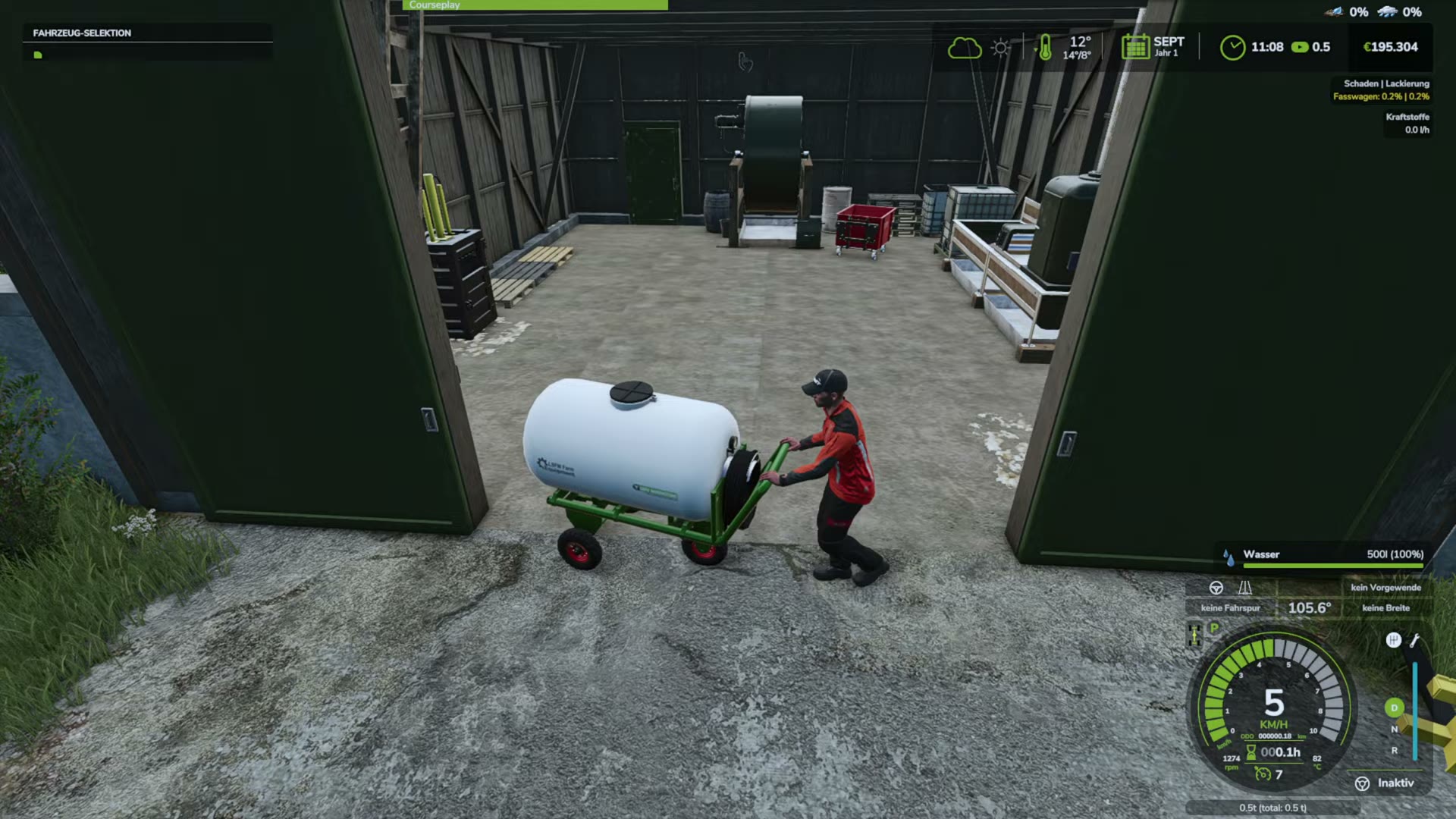
Water cart entering the processing shed; the washer is against the back wall.WurstkochGaming · Earlier release · April 2026 tutorial; exact patch unspecifiedWatch 4:00 ↗Source ↗ - Read the input and ownership panel.
Compare Schafwolle (schmutzig) (dirty wool), Wasser (water) and the owner line. Keine aktiven Produktionen means no production is active.
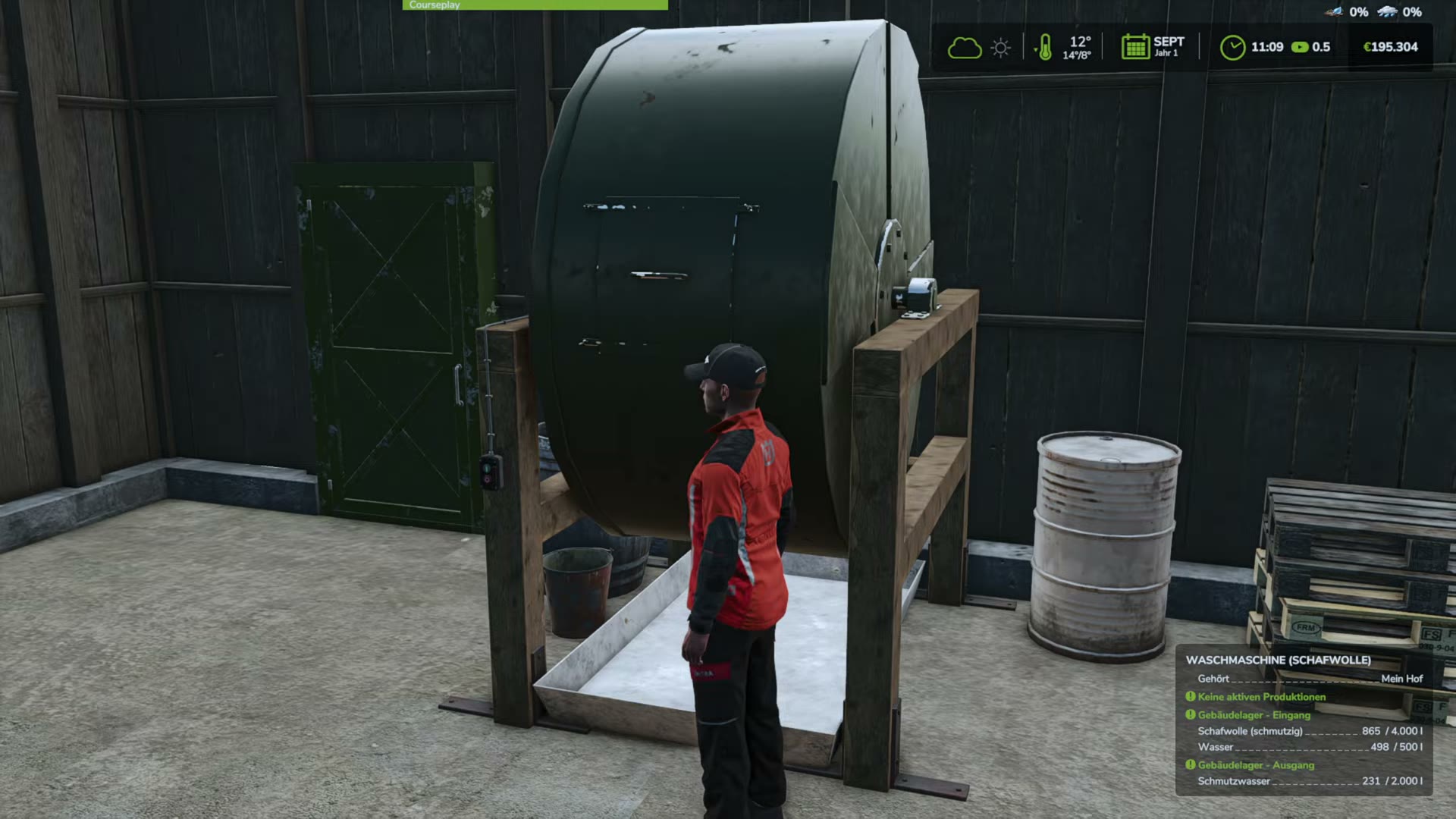
The lower-right panel contains the input levels and inactive-production status.WurstkochGaming · Earlier release · April 2026 tutorial; exact patch unspecifiedWatch 5:30 ↗Source ↗ - Check the interaction at the drum.
Move to the front of the washer and compare the help panel. The recorded prompt is Waschmaschine öffnen (open washing machine). Record whether this prompt appears in your save.
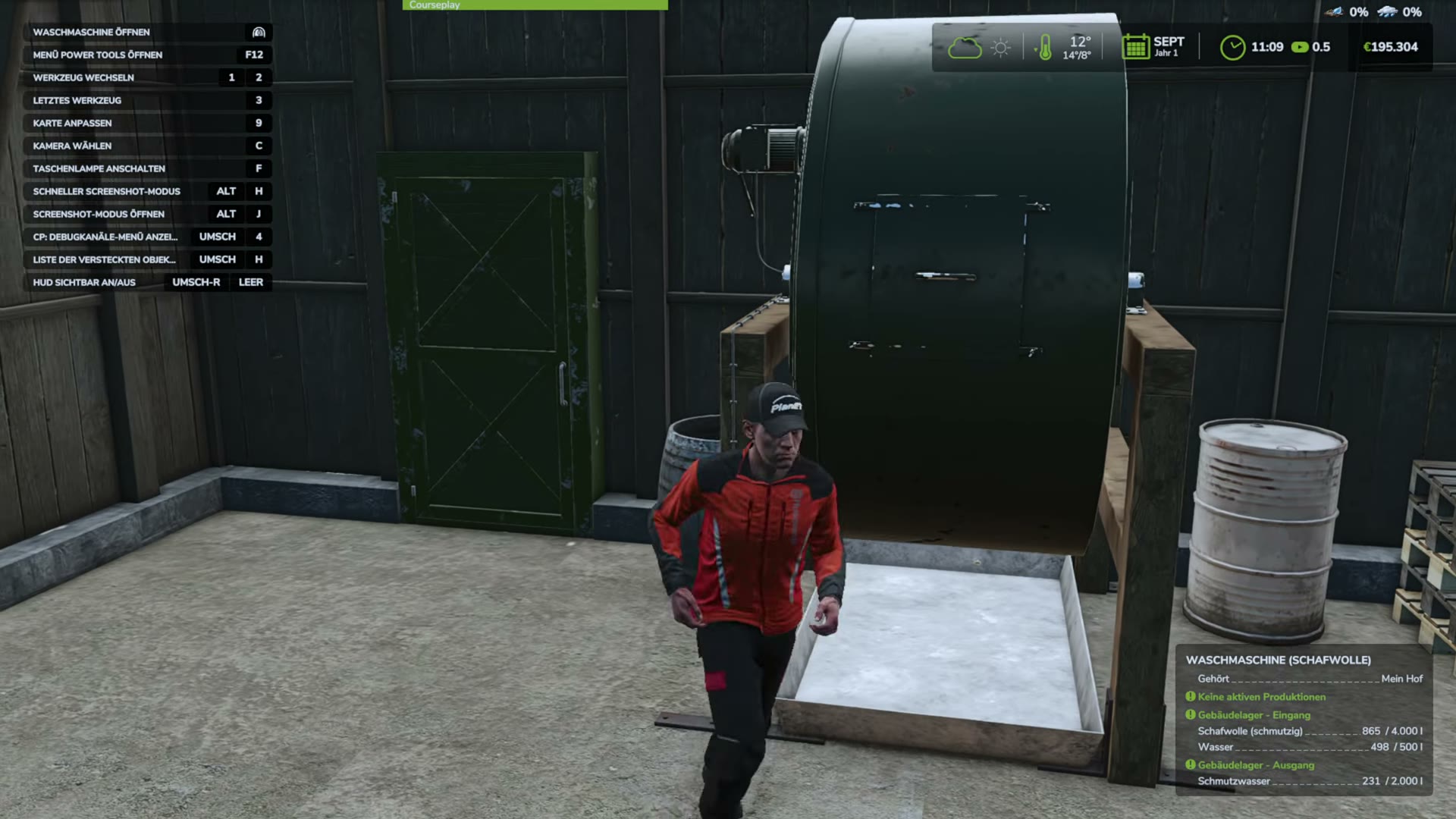
The open-washer interaction is visible at the top left.WurstkochGaming · Earlier release · April 2026 tutorial; exact patch unspecifiedWatch 5:50 ↗Source ↗ - Compare the running status and output.
The later tutorial frame shows Läuft (running) and Schafwolle (gewaschen) (washed wool). If your machine stays inactive, preserve its prompts, input levels and log for the unresolved report.
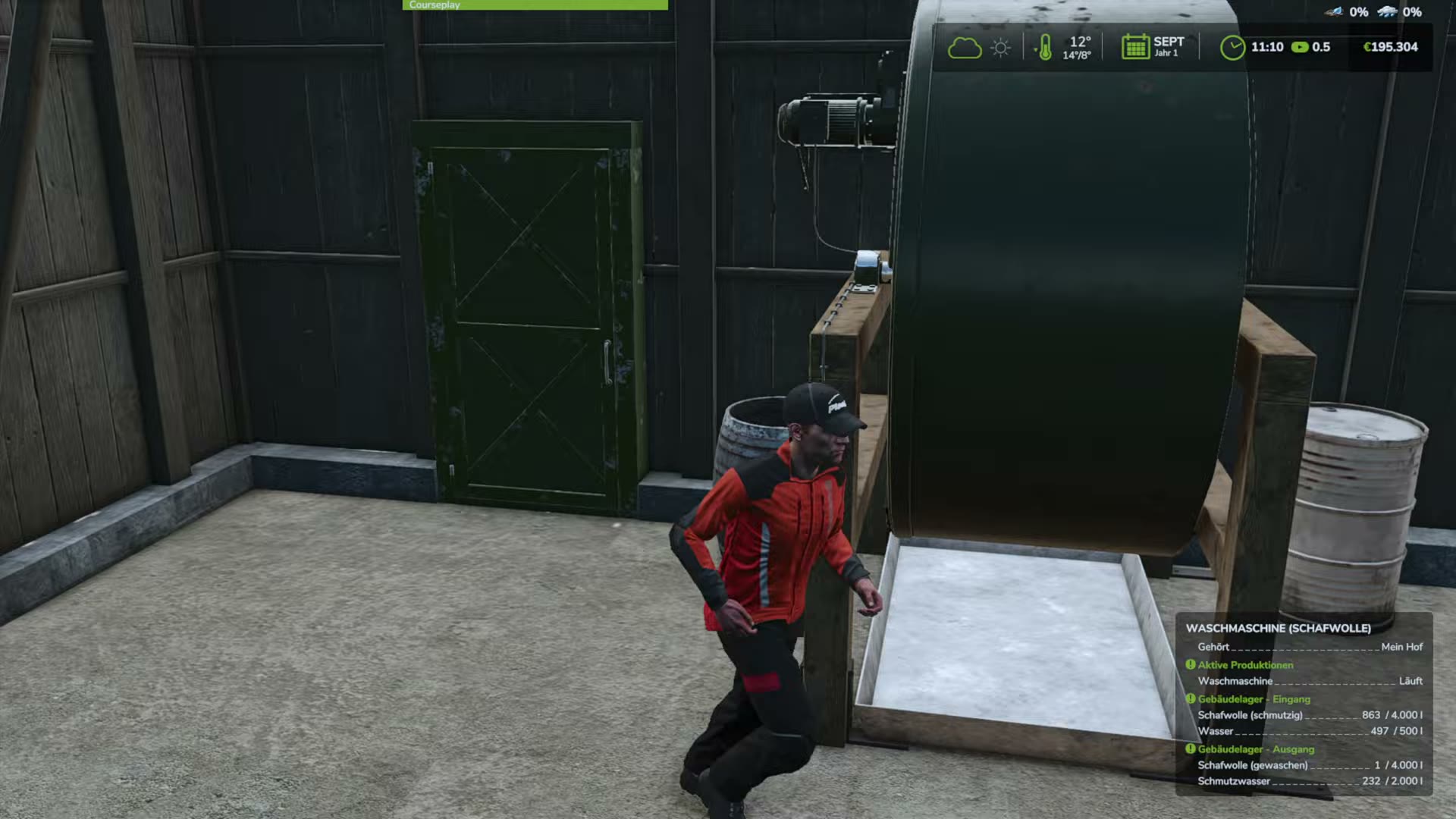
The washer is running and washed wool appears in the output list.WurstkochGaming · Earlier release · April 2026 tutorial; exact patch unspecifiedWatch 7:00 ↗Source ↗
Missing vegetable beds
The player already owned the land. The discussion moved to mod conflicts, with no confirmed fix. Compare a separate minimal-mod save. View report.
Sources
Checked 16 November 2026. Documentation, forum reports and credited gameplay footage.
- F02Wool washing machine will not start
- F12Buffalo and Highland cattle feeding points reject feed
- F13Asparagus packing stops just before producing a pallet
- F16Vegetable beds missing from production list after buying land
- O07Official isolated-mod-folder troubleshooting guidance
- O08Official log-file location and support guidance
Gameplay footage
- LS25 HOF BERGMANN TUTORIAL WOLLWÄSCHEREI ↗WurstkochGaming · Earlier release · April 2026 tutorial; exact patch unspecified