Back up your save and bindings, then compare a minimal mod setup. Removing Financing helped one player; it is not a confirmed fix for every dog-menu failure.
Open and read the dog menu
Follow the binding shown in your help panel. These screens are from the 1.5 preview published on 11 November 2026.
- Find the dog-command binding.
With the lead tool equipped near the dog, look for Hundebefehle. This recording shows Alt + D.
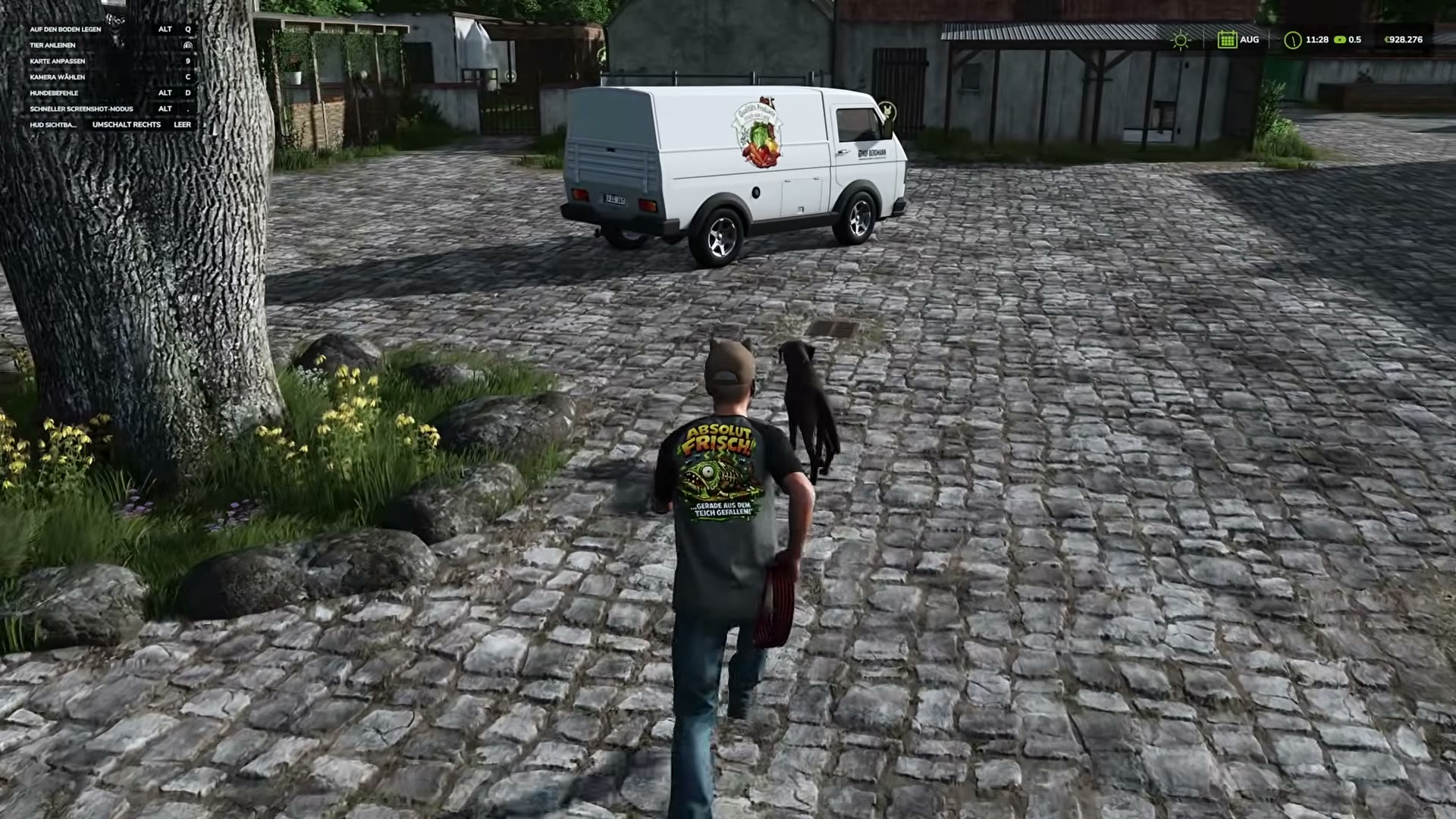
Hundebefehle appears in the upper-left help panel.ChucklesOfDoom · 1.5 preview · 11 Nov 2026Watch 1:50 ↗Source ↗ - Choose a command and confirm.
The wheel includes Sitz (sit), Platz (lie down), Bei Fuß (heel) and Zum Hof (return to the farm). Read the selected command below the wheel, then confirm with the displayed control.
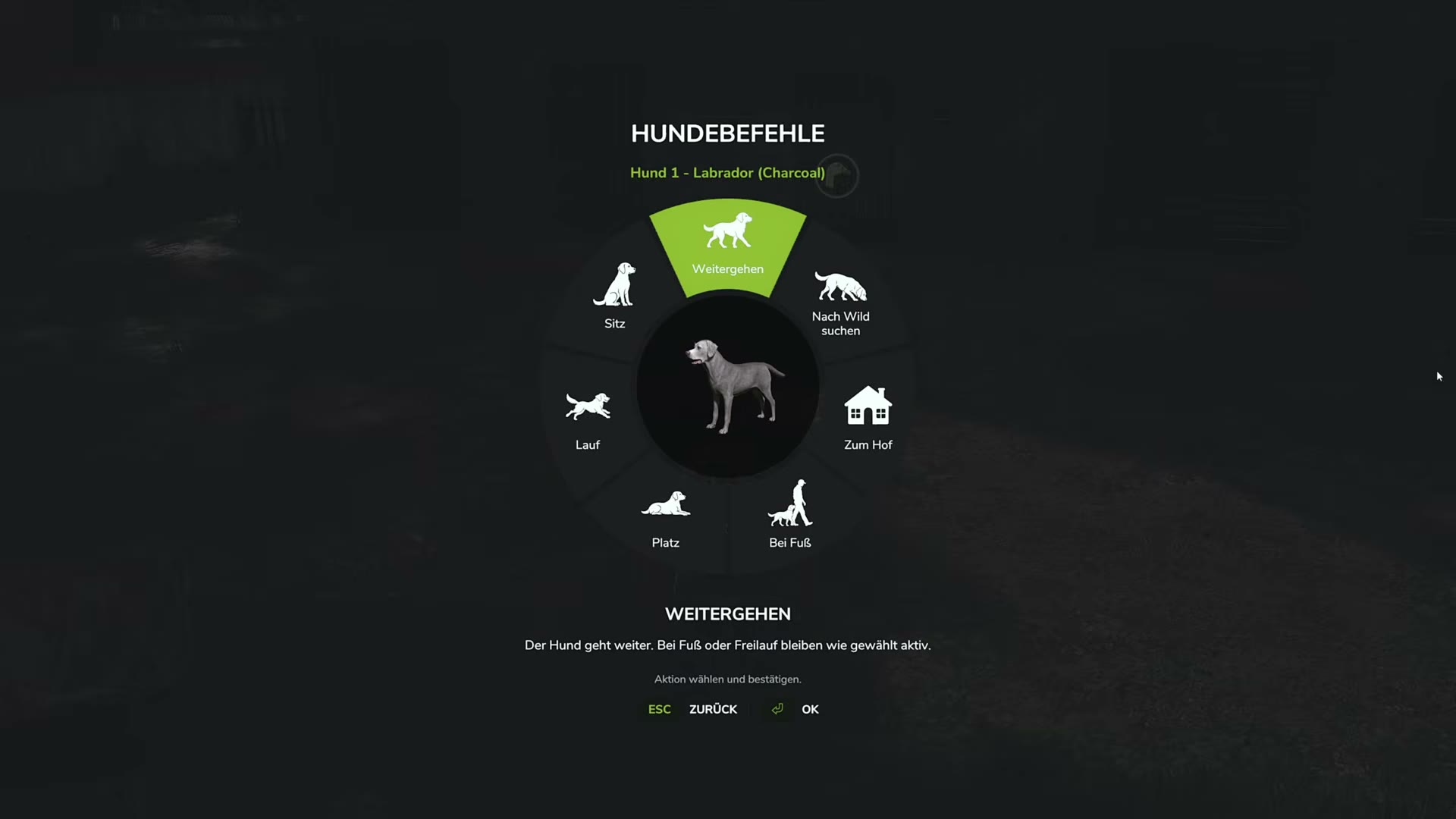
The command wheel displays the selected action and its explanation.ChucklesOfDoom · 1.5 preview · 11 Nov 2026Watch 7:30 ↗Source ↗ - Check the vehicle context.
When the dog is riding with you, the same help-panel slot becomes Hundeposition im Fahrzeug (dog position in vehicle).
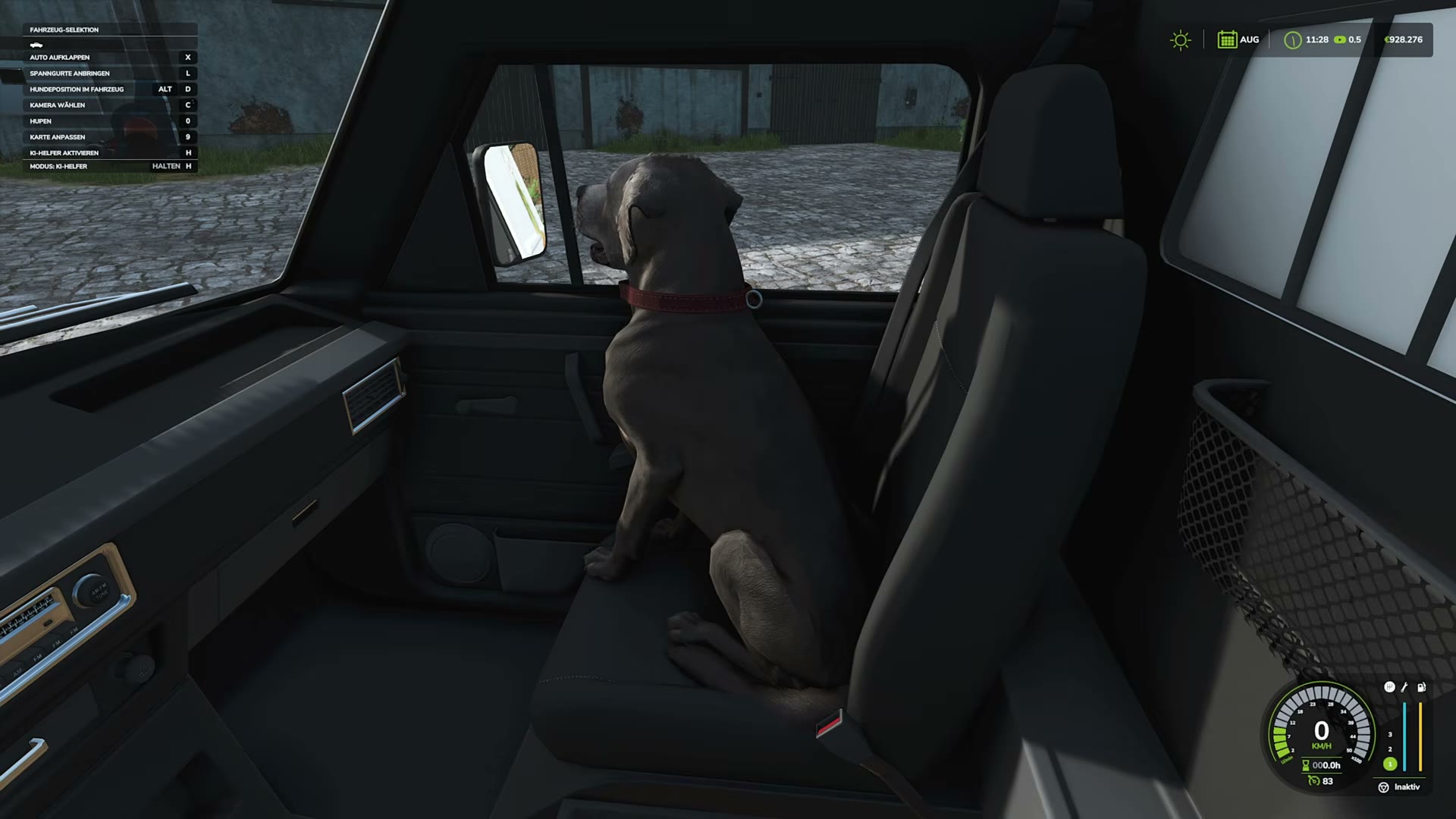
The dog is in the passenger seat; Alt+D now opens vehicle positioning.ChucklesOfDoom · 1.5 preview · 11 Nov 2026Watch 3:00 ↗Source ↗ - Adjust the seat position if needed.
Use the reference point, X/Y/Z offsets and facing direction. Choose Speichern to save. Zurück discards the preview.
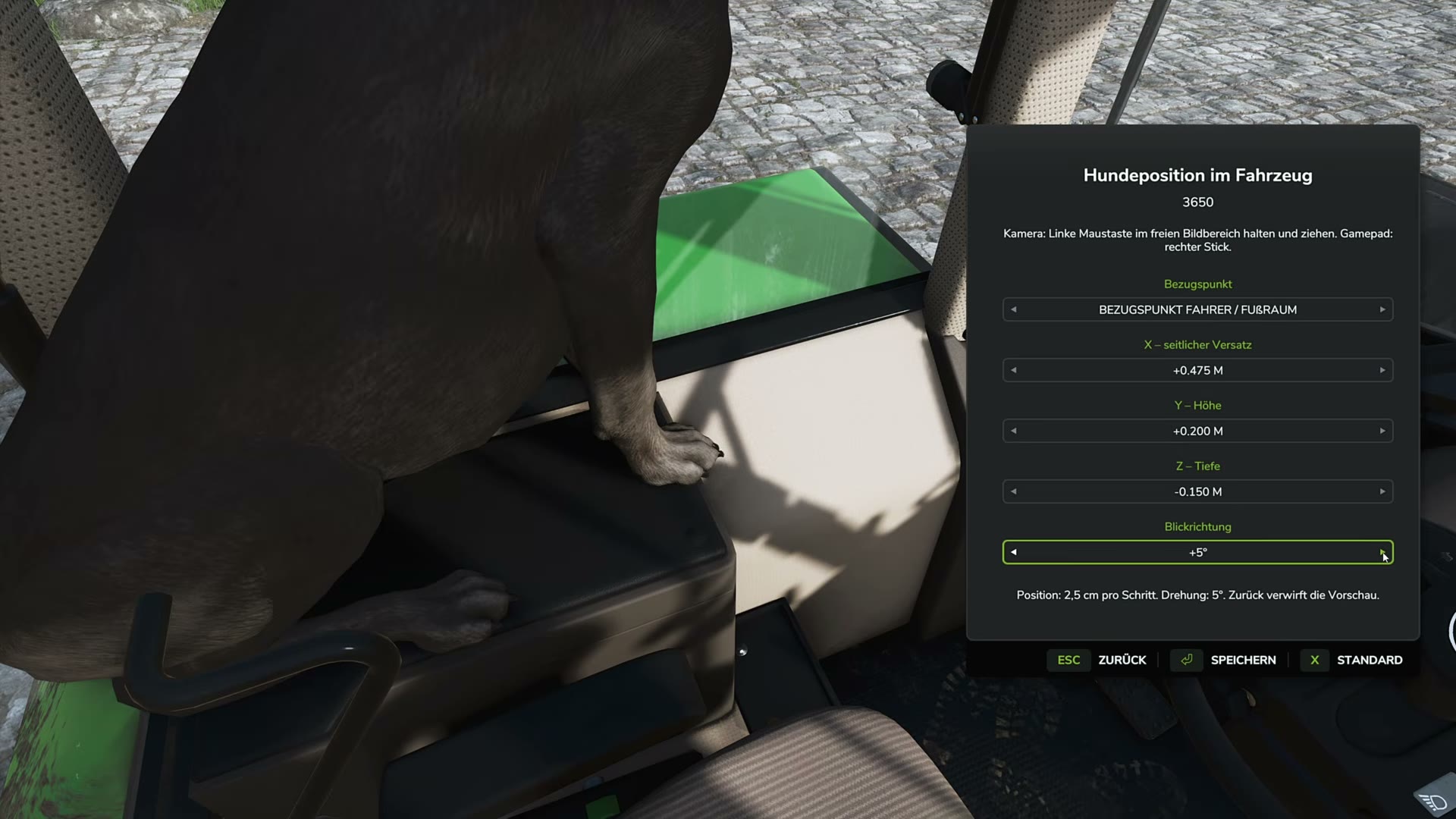
The position editor includes offsets, direction, Save and Back.ChucklesOfDoom · 1.5 preview · 11 Nov 2026Watch 6:00 ↗Source ↗
Record the symptoms
Note whether the dog menu, lead rope or both fail. Record game/map versions, keyboard or controller, and hosting mode.
Check the controls
- Back up your setup.
Copy the save and key-binding configuration.
- Check key bindings.
Look for duplicate or changed assignments in the current controls screen.
- Compare a minimal setup.
Use a separate test save with the map and required dependencies.
- Add extra mods one at a time.
Repeat the same action after each addition. If Financing is installed, compare with and without it.
- Keep the log.
Reproduce the issue, exit and save
log.txtbefore another launch.
Reported results
- Dog commands: removing extra mods helped one player; the culprit was not identified.
- Financing: one replying player recovered the menu after removal. View report.
- Lead rope: a moderator suggested binding conflicts; the report remains unresolved. View report.
Missing DLC animals
The official reply describes Beans & Alpacas as compatible, but not every animal has map entries or housing. Check DLC animal compatibility separately from control failures.
Sources
Checked 16 November 2026. Documentation, forum reports and credited gameplay footage.
- F03Beans & Alpacas DLC: missing animals
- F05Dog commands do not respond
- F06Animal lead rope does not respond
- F07Dog menu: Financing mod conflict report
- O07Official isolated-mod-folder troubleshooting guidance
- O08Official log-file location and support guidance
Gameplay footage
- EURE Haustiere fahren mit! 🐶 | LS25 Hof Bergmann ↗ChucklesOfDoom · 1.5 preview · 11 Nov 2026